How to Stop & Remove Mic Bleed in a Two-Person Podcast
To minimize mic bleed during a two-person in-room podcast, seat hosts directly across from each other pointing dynamic cardioid microphones 180 degrees apart (so each mic's rear null faces the other speaker) at 3–4 inches mouth distance, then run both recorded tracks together through a dual-track bleed suppressor rather than choppy single-track noise gates.
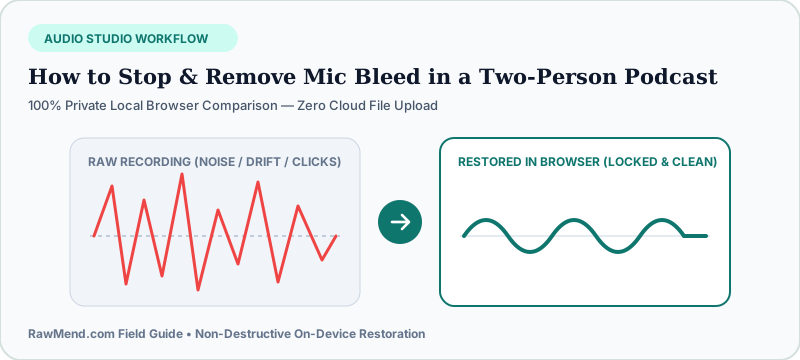
Why Two Great Microphones Sound Hollow When Mixed Together
Every new video podcast team hits the exact same shock: Host A's track sounds rich and warm soloed, and Host B's track sounds rich soloed—yet the moment you unmute both tracks together, the episode sounds like it was recorded inside an empty tiled bathroom!
That hollow slapback happens because Host A's voice hits Mic A immediately, travels five feet across the table, bounces off drywall, and enters Mic B five milliseconds later. Combining the direct voice with that slightly delayed spill creates hollow phase echo.
Why Single-Track Noise Gates Sound Amateur
Slapping a standard noise gate on each track chops off quiet word endings and pumps open awkwardly every time both hosts laugh at the same joke.
3 Room Tweaks Before You Hit Record Next Week
First, ditch omnidirectional or wide-open condenser settings in untreated rooms—cardioid dynamic microphones reject sound arriving from directly behind the capsule. Point Mic 1 North and Mic 2 South directly opposite each other.
Second, bring mics closer (a fist's width from the corner of the mouth) so you can turn preamp gain way down. Third, toss a thick rug under the table and hang heavy curtains behind each speaker's back.
| Cleanup Method | Handles Shared Laughter? | Cures USB Clock Drift Too? | Setup Effort |
|---|---|---|---|
| SyncCast Dual-Track Studio (RawMend) | Yes — smooth dual-mic comparison | Yes — automatic timeline lock | Drop 2 files in browser |
| Single-Track Noise Gate | No — chatters & clips quiet words | No | Fiddly threshold tuning |
| Manual Strip-Silence Cutting | Yes (if done carefully by hand) | No | 60–90 Minutes per episode |
How to Clean Already-Recorded Two-Mic Episodes
- Export Speaker 1 and Speaker 2 as separate full-length audio tracks from the exact same recording session.
- Open RawMend's Mic Bleed & Two-Mic Sync Studio and drop both files in—zero cloud upload wait.
- Let SyncCast align timing drift, dial Cross-Mic Bleed Suppression until room echo vanishes, and download clean WAV stems.
Frequently Asked Questions
Can I clean two lavalier clip-on mics recorded on a sofa?
Yes! Sofa fireside interviews with omnidirectional wireless lavs suffer heavy cross-bleed because speakers sit side-by-side—dual-track comparison cleans them up dramatically.
Does RawMend cap podcast episode length?
No minute quotas or login walls—everything processes locally using your own computer's memory.